Image to Text Converter
Use this Image to Text converter to extract and copy text from image. Simply upload the photo, hit “Convert to Text,” and get text in one click.
Supported Files: PNG, JPG, Webp, GIF, JPEG, PDF
Data security comes first. We'll never sell or share your data. For more details, visit our Privacy Policy
Other Tools
Image To Text Tool - Copy Text From Image
Our Image to Text Converter is an online OCR tool that lets you extract text from images. It supports bulk image to text conversion with high accuracy. On the free plan, you can convert up to 5 images per session, with no limit on the number of sessions. With paid subscription, you can convert up to 150 images at once.
You can use our tool to digitize documents, handwritten notes, images, screenshots, and receipts. After digitization, the text becomes editable and searchable.
Imagetotext.me is freemium. Free users don't need to sign up or register. There is also no limit on the number of sessions.
How to Convert Image to Text?
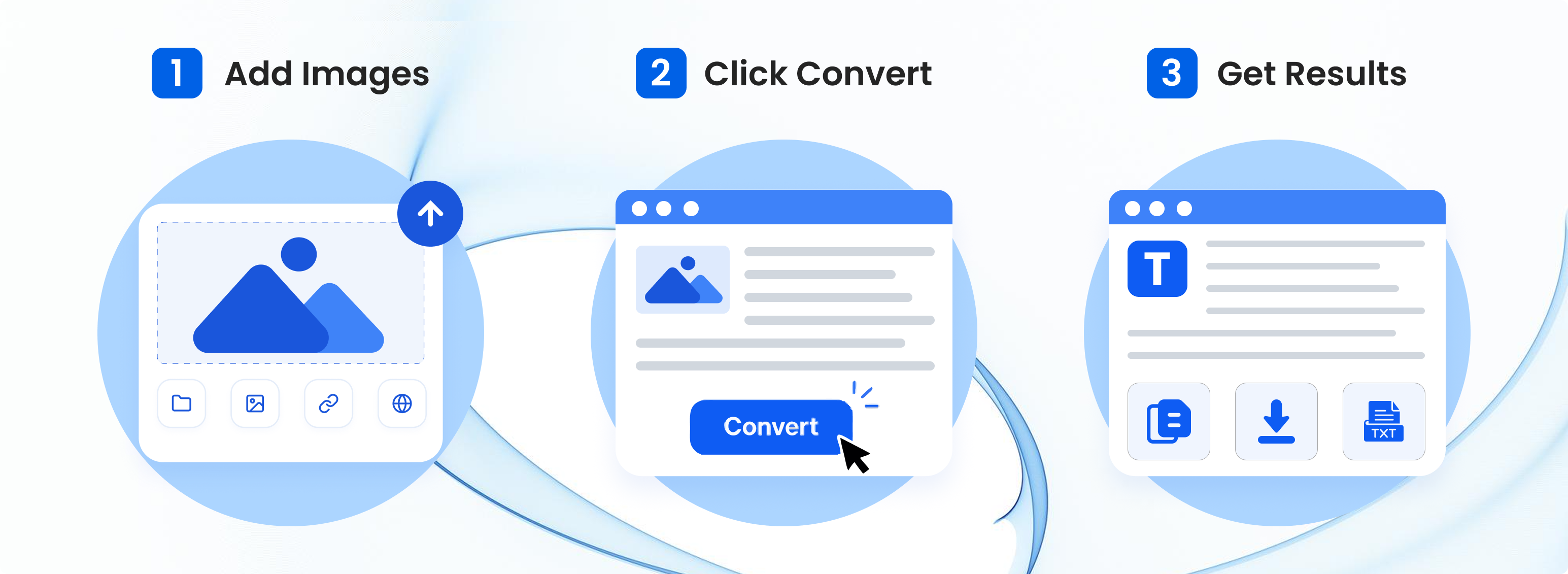
Follow these steps to convert image to text:
- Upload Images: Upload, paste, drag, or insert the URL of an image into the tool.
- Convert to Text: Click the 'Convert' button to initiate the OCR conversion.
- Results: View, copy, or download the text extracted from the provided image.
How Does Photo to Text Converter Work?
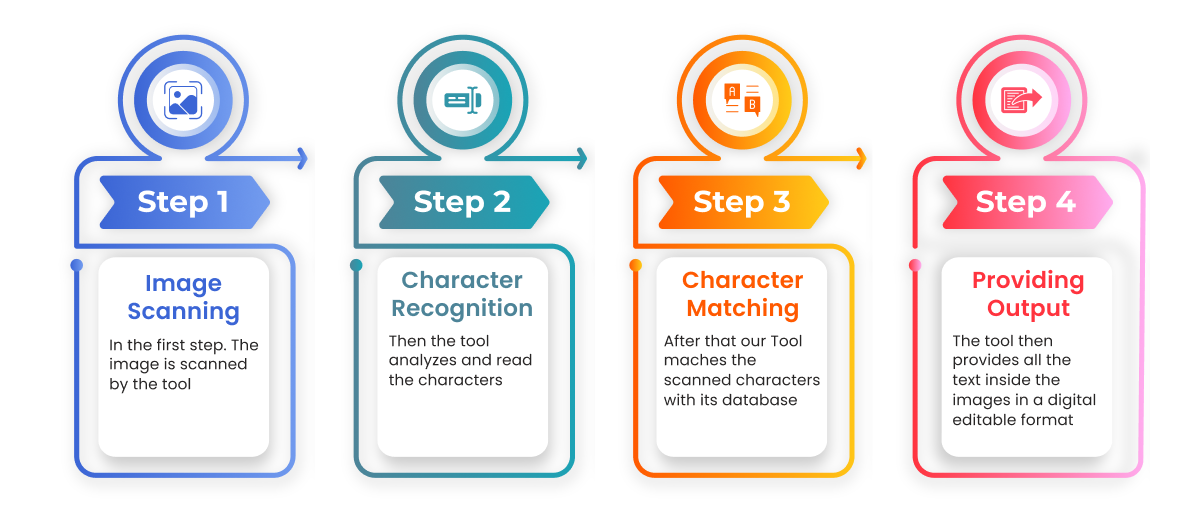
Our photo to text converter uses OCR technology to perform text extraction. It first preprocesses the image to remove distortions and noise from the uploaded picture. Next, the tool scans the image and looks for patterns and shapes that resemble letters and words.
Then, it converts those patterns into text by checking and comparing them against its own database. After conversion, the image to text converter performs post-processing, in which it ensures the extracted text is accurate and error-free before displaying the output to the user.
Notable Features of Our Picture to Text Converter
Simple UI
This photo to text converter features a simple UI. Just upload images, click Convert, and get results.
Converts Math Equations
Our OCR converter can detect math equations in images and extract them efficiently.
Crop & Rotate
You can crop unwanted parts from submitted images or rotate them before converting.
Freemium
Our image to text converter offers both free and paid plans. Free plans also have no daily usage restrictions.
Multi-Format Support
Our online OCR tool supports multiple file formats. You can extract text from JPG, PNG, WEBP, GIF, and JPEG.
Bulk Upload
Free users can convert 5 images at once (no daily limits). Business subscription can convert up to 150 images.
Handles Blurry Images
Our OCR tool can extract text from mildly blurry or lower-resolution images. For better results, use clear images with readable text.
Safe & Secure
Imagetotext.me is safe to use. We do not sell or share any of the data or files submitted by our users.
Various Download Options
You can download the extracted text as TXT, DOCX, or PDF files. No watermark is added.
Use Cases of Online Photo to Text Converter
Research and Data Collection
Researchers and data analysts can use our picture-to-text converter to extract text stored inside an image for research and data collection. This can make the process faster and more efficient.
Data Entry
Data entry specialists can use our image to text converter to extract text from physical documents and transfer it to spreadsheets, Word files, databases, or business software without typing everything manually.
Social Media
Use our image to text converter to extract text from social media posts, screenshots, and image-based quotes. You can copy the extracted text to share it in messages, save it for reference, or reuse it in your own content where you have permission.
Who can use this Image to Text Converter?

Students
Image to text tool helps students digitize handwritten notes and other study materials, making them searchable or editable.

Teachers
Teachers can convert photos to text to create digital copies of rare learning materials and assignments and distribute them to students.

Content Creators
Content creators can use this OCR tool to copy text directly from social media images and post screenshots to repurpose content.

Data Entry Operators
Imagetotext.me helps data entry operators to extract text from printed forms, receipts, and other documents instead of typing every word manually.

Librarians
Librarians can use our image to text converter to create digital copies of theses, synopses, and other printed books in PDF or Word format.

Office Professionals
Our OCR converter helps professionals across industries go paperless by digitizing old office records and important printed files, receipts, and more.
Frequently Asked Questions (FAQs)
What is an image to text converter?
An image to text converter is an OCR-based tool that can recognize text trapped inside images and extract it in editable form. It can easily deal with images, scanned documents, handwritten notes, and even invoices.
Can our online OCR converter recognize handwritten text?
Yes, this text extractor can easily recognize handwritten text. You can extract the text from any of your handwritten materials. Results depend on handwriting clarity and image quality.
How can I convert JPG to Text?
You can convert JPG images to text using our image to text converter. Our tool supports many formats, including JPG. You can upload your JPG image into the tool, adjust it, and then convert it to text.
Is the extracted text accurate?
Yes, our tool extracts text from the images with the highest accuracy. It uses reliable OCR models to scan the image, detect all characters, and match them against the database before providing the output. However, no tool is 100% perfect, and mistakes can happen.
Can I convert screenshot to Text?
Yes, if the screenshot contains written content, our tool will be able to scan and extract it without any problems. Our OCR tool also works as a screenshot to text converter.
How can I get text out of a picture?
You can get text out of a picture by using an image to text extractor tool. If you have a picture on your device, you can upload it directly into our tool and extract the text. If the picture is in physical form, you can take a photo using your device’s camera and then upload it. Our tool can work in both situations.
We Are Also Available inOther Languages